Product and tools
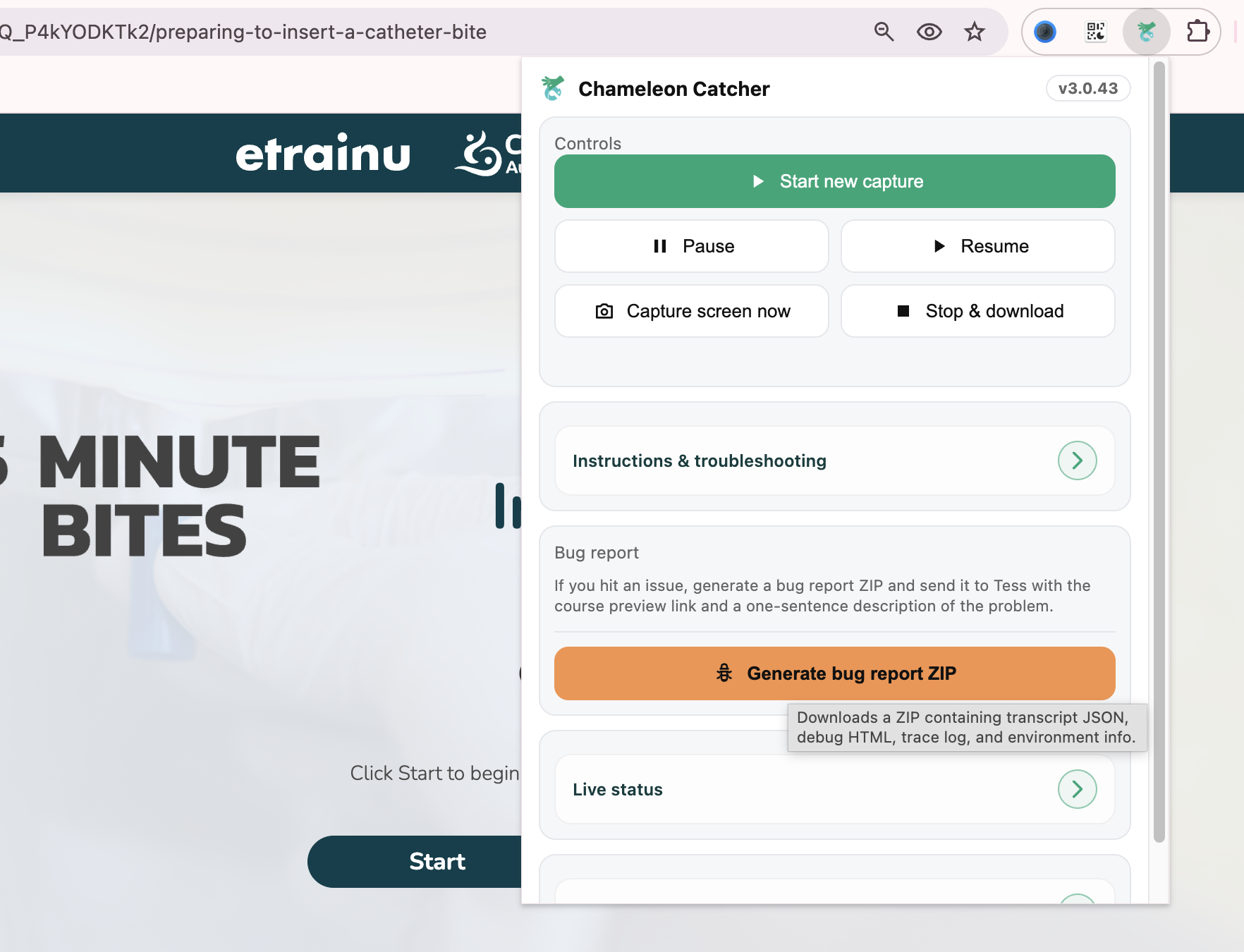
Chameleon Catcher Extension
An extension that captures interactive courseware as a readable transcript with its learning structure intact.
- Hundreds of legacy courses
- Weeks of manual work removed
- Human and machine readable output
- Role
- Designer and product lead
- With
- etrainu
- When
- 2026
- Practice
- Products and tools
Project
Leveraging AI to solve the problem of rapid, large-scale data migration
In my time as an Instructional Designer at etrainu, we were faced with the challenge of extracting a massive legacy content library and transforming it into a release-ready product in the period of only a few short months. We needed to take hundreds of courses, reshape the content using AI for first-pass redevelopment while maintaining high enough fidelity to ensure no loss of information.
The legacy content existed primarily in the authoring tool itself (Chameleon Creator) with no transcripts, content documents, or other artefacts that would have allowed for easy migration and transformation of raw course content. Chameleon only allows SCORM export with no HTML or transcript options, meaning that extracting the content for redevelopment was a tedious act of manually copy and pasting every individual slide, feedback layers and all.
I looked at this process, imagined the weeks of boredom and profound inefficiency, and I said "I am absolutely not doing that." I decided that a pathway to automation must exist and if not, I would find a way to build it.
Chameleon Catcher overview
The Chameleon Catcher extension was built to solve a high-friction content problem: capturing complex Chameleon Creator learning modules in a way that preserves both their human readability and their structural meaning. Chameleon content is not limited to static text and media; it includes topic portals, branching navigation, results pages, click-to-reveal interactions, flipcards, carousels, accordions, quiz-based interactions, and lockdown-based progression rules.
My objective was to create an extension that could translate this interactive learning environment into a stable transcript and export layer without reducing it to a messy DOM scrape or a visually cluttered dump of content. The result was a tool designed not just to capture pages, but to capture intent, sequence, and learning structure.
Process
The challenge
Building a capture tool for Chameleon Creator meant working with content that is far more complex than a standard webpage. The extension needed to interpret not just visible text, but the logic of interactive learning experiences — including branching pathways, locked progression, quiz flows, reveal interactions, and results states.
The core challenge was balancing two needs at once:
-
Human readability: the output had to feel clean, logical, and easy to review
-
Structural fidelity: the captured content still needed to preserve sequence, interaction type, and semantic meaning for downstream use
-
Usability: the tool needed to be practical in real workflows, not just technically impressive
-
Reliability: automation had to stay stable across varied module structures and edge cases
A simple export would have flattened the experience. A highly technical export would have made it unreadable. The challenge was designing something that could do both well.
Project goal
The goal of the extension was to create a workflow that translated interactive courseware into a format that was both usable by people and valuable to machines.
More specifically, I wanted to create a tool that could:
-
Generate a clean, readable HTML transcript
-
Preserve a semantic layer for AI-assisted conversion and structured reuse
-
Support downstream outputs such as DOCX and future PPTX-compatible semantic exports for cross-platform use
-
Retain enough interaction context to make the content meaningful outside the browser
-
Remain stable enough to support repeatable capture and QA workflows
This was ultimately about turning highly interactive learning content into a portable knowledge asset.
My approach
I approached the project using a human-centred, iterative design methodology. Rather than trying to build a perfect solution in one pass, I worked through rapid cycles of testing, troubleshooting, refining, and validating the extension against real content and real output needs.
A key part of the process was using ChatGPT as a development partner, but in a directed, highly active way. My role was not passive prompting. I drove the conceptual and technical process by:
-
Defining the original problem and desired outcomes
-
Shaping the transcript model and output requirements
-
Using browser developer tools to inspect page structure, state changes, and DOM patterns
-
Pulling relevant code and diagnostic information into the workflow for troubleshooting, analysis, and crucial build context
-
Defining and redefining rules, parameters, and workflows as issues emerged
-
Troubleshooting failures, edge cases, and unstable behaviours
-
Testing outputs for readability, usability, and structural consistency
-
Continually tightening the process to improve efficiency, accuracy, and overall result quality
This approach allowed me to leverage my existing experience with game engines, authoring tools, interaction design, and digital learning systems so that even with limited traditional front-end engineering experience, I could create a highly complex automation tool. AI accelerated the coding, but the product direction, problem framing, refinement, and quality control were driven by me.
Innovation
The most innovative aspect of this project was not just that it automated capture, but that it did so in a way that respected both content meaning and user experience.
Key innovations included:
-
A dual-layer output model: human-readable transcript plus machine-readable semantic structure
-
A capture process that preserved interaction intent and fidelity of the user journey, not just visible text
-
An approach to automation that treated behaviour, flow, and learning logic as part of the content
-
A design process that combined AI-assisted development with human-centred design thinking and continuous refinement
The project demonstrates an important capability: the ability to use AI not simply to generate code, but to extend personal technical reach and deliver a sophisticated product through strong conceptual thinking, problem-solving, and iterative design leadership.
Impact
Outcome
The final outcome was an extension that made interactive learning content significantly more reusable and resilient. It produced transcripts that were easier for people to read, more dependable for QA and support workflows, and better suited for AI-assisted document generation than a conventional page capture would be. Because it preserved the instructional logic of Chameleon content rather than flattening it, the extension helped bridge the gap between interactive delivery and durable documentation.
More broadly, the project demonstrated how browser extensions can be used not just as capture utilities, but as translation layers between rich web experiences and structured knowledge systems.
Business impact
As an immediate result of this project, weeks of actual labour were shaved off the timeline of a business-critical project. This freed up the team to direct their focus to the vital work of content redevelopment.
This extension also preemptively solves future problems, such as providing a high-fidelity transcript accurate to the most recently published text for generating voice overs, as is intended down the line. It will also support the Customer Success team in routine troubleshooting, as the extension is specifically designed to navigate courses using exclusively learner-faithful navigation and interaction, effectively replicating the user experience.
The cumulative time, resources, labour, and ultimately money saved by this automation tool will compound over months and years to be enormous.
Reflection
This project sits at the intersection of frontend engineering, content architecture, and AI readiness. What I am most proud of is that the extension did not treat innovation as visual polish alone. Instead, it introduced a more durable model for representing interactive content: one that respects the learner experience, supports human review, and creates a stable foundation for machine-driven reuse.
That balance between usability and semantics, between readability and structure, is what made the extension meaningful.